

Use case #
An infinite loop is a programming or automation construct where a loop never terminates because the exit condition is either absent or never becomes true. In RTILA, loops are commonly used for tasks like iterating over webpage elements, data scraping, or repetitive form submissions.
For example, if an automation project is designed to click through pages of search results but the stopping condition (like reaching the last page) is not correctly handled, it could result in an infinite loop where the automation clicks the “Next” button indefinitely
Add the Infinite loop command #
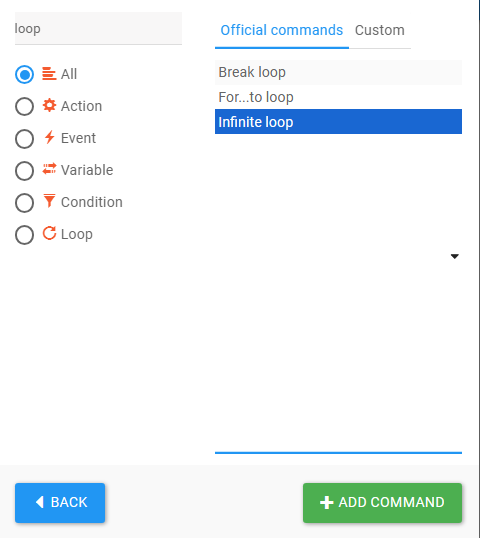
You can easily add the infinite loop command from the new command interface just like shown in the following picture
How to break an Infinite loop #
While loops are essential for automating repetitive tasks in RTILA, infinite loops would be beneficial if there is no break condition. That’s why in rtila you could see after each command that there is an option called ” if element isn’t found” and in that option, you could always select break parent loop or close project to break the infinite loop.
Infinite Loop in action #
Example: Implementing an Infinite Loop for Pagination with RTILA #
In this example, we utilize the infinite loop command to automate data extraction from the RTILA downloads page.
Within the template, an infinite loop is established, which continuously performs two main actions:
- Scroll Command: Scroll down the page to ensure all elements are loaded.
- Next Page Click Command: Clicks the “Next Page” button to load additional content.
The loop will persist as long as the “Next Page” button exists on the page. Once the button is no longer detected (indicating the end of the pagination), the loop will automatically terminate
Infinite Loop for Pagination template #
https://rtila.com/files-download/Infinite-Loop-for-Pagination.rtila