

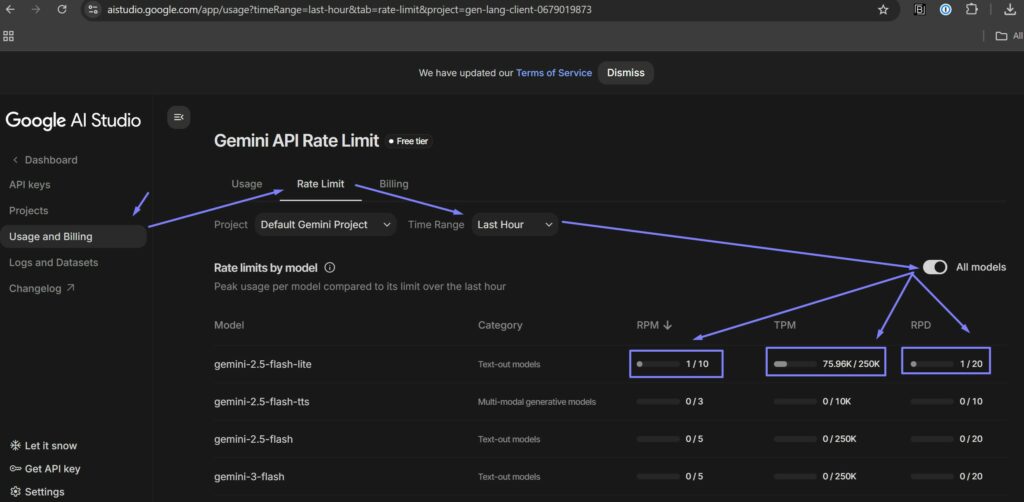
If you are using Gemini API Free tiers then some usage limits do apply over 3 parameters:
RPM: Requests per minute. Current limit: 10 requests per minute.
TPM: Tokens per minute. Current limit: 250K tokens per minute.
RPD: Requests per day. Current limit: 20 requests per day.
See the screenshot below on how to check your current rate and consumption. Login to your Google Account then go to:
https://aistudio.google.com/app/usage
When you go over these limits you will get an error like below inside the RTILA Ai Assistant chat interface
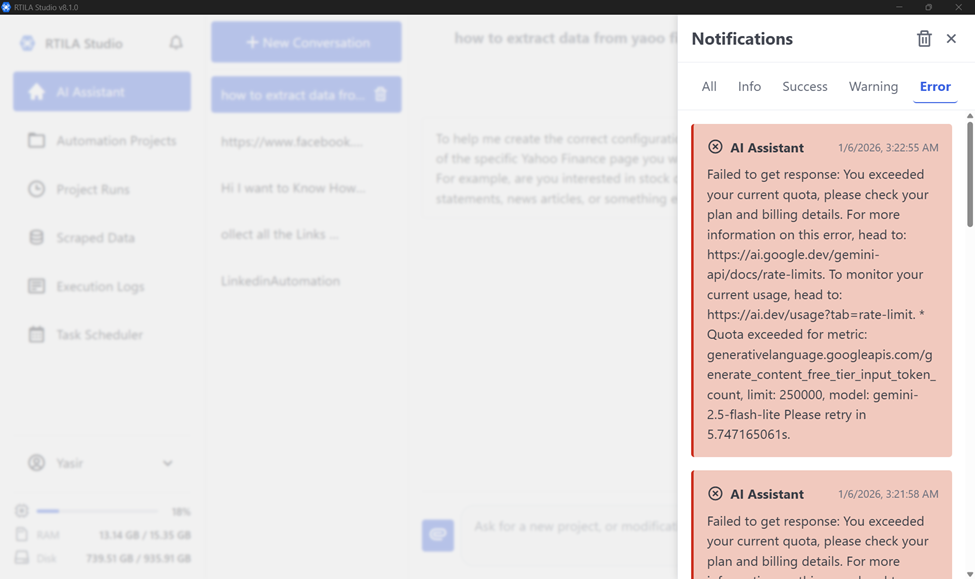
How to manage or solve this Rate Limit errors:
1) Just wait for the next minute or day depending on the rate item that has been exhausted
2) Add your billing details to the Google Ai Studio and pay per token use